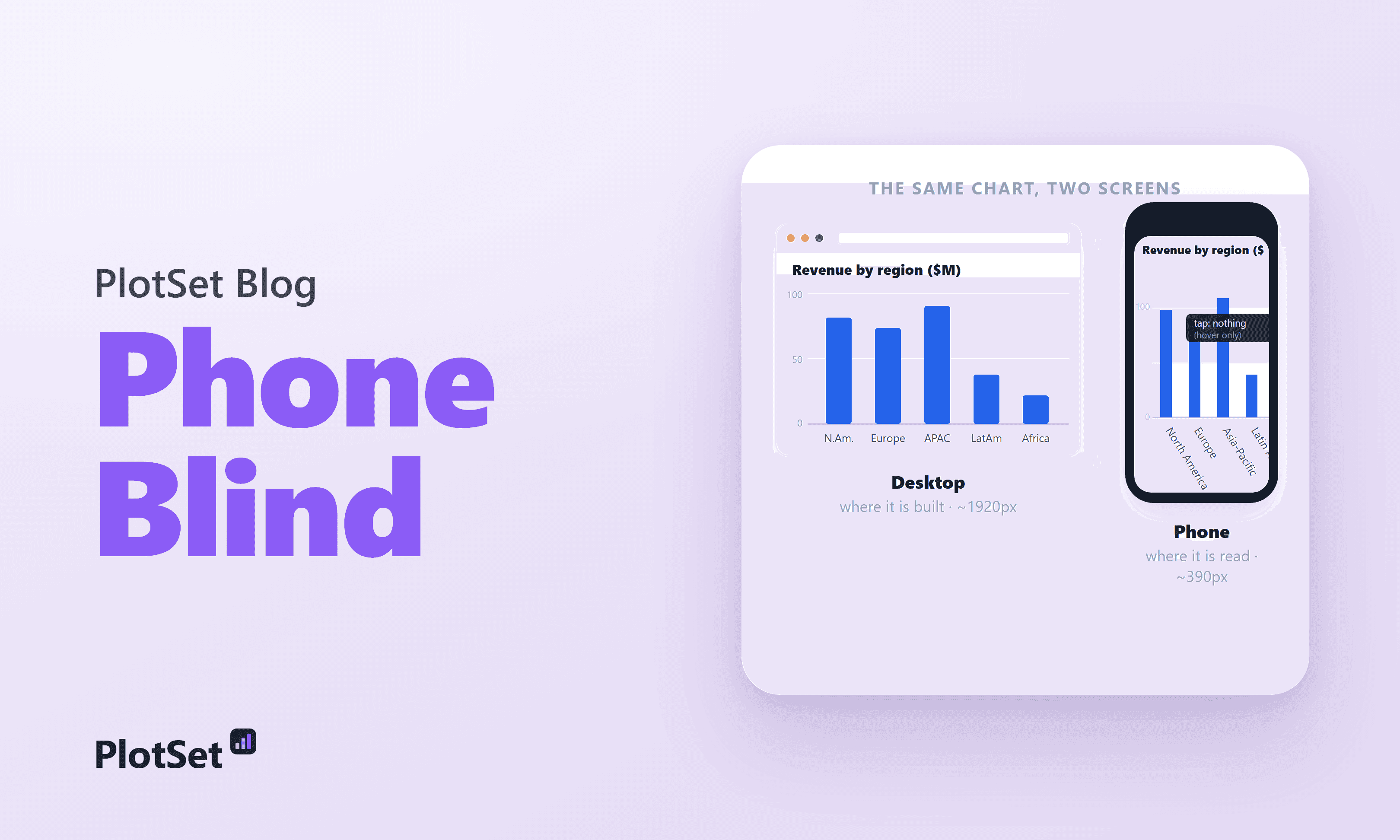
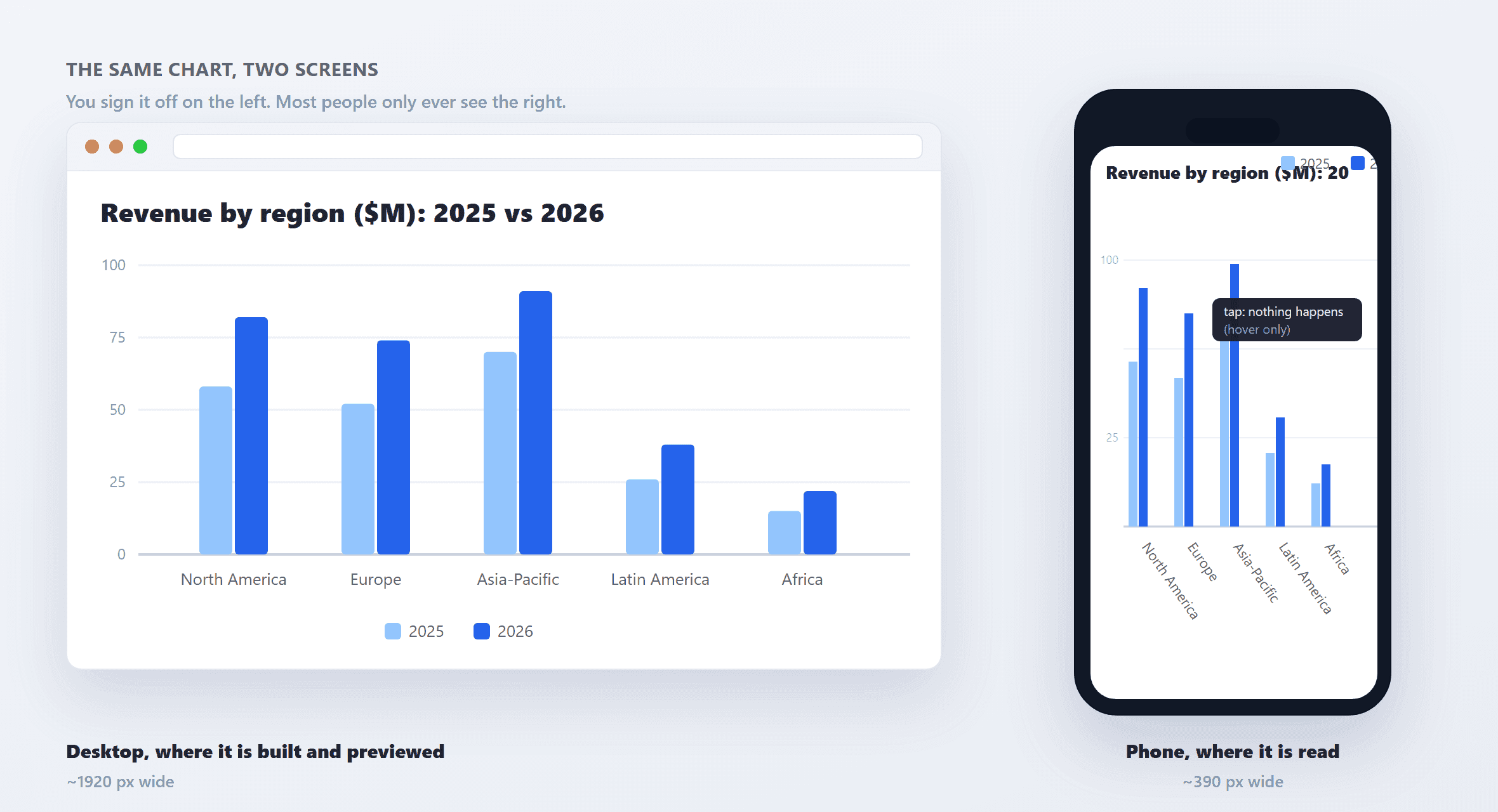
You build the chart on a 27-inch monitor. The axis labels sit neatly under each bar, the legend has room to breathe, and hovering reveals the exact numbers. You sign it off. Then a reader opens it on a phone, and the labels collide into a gray smear, the legend slides off the right edge, and the tooltip that held half the information never fires, because there is no such thing as hovering on a touchscreen.
This is not an edge case for a stubborn minority. It is the default viewing condition for most of the people you are trying to reach. And the fix is not hard, once you accept that the screen in front of you is not the screen that matters.
How mobile the web really is (and the number everyone rounds up)
Here is the honest version, because the popular one is slightly wrong. As of June 2026, mobile devices account for 51.51 percent of worldwide web traffic, against 47.12 percent for desktop and 1.36 percent for tablets. Mobile first passed desktop back in October 2016, peaked near 60 percent around 2022, and has since settled back to a slim majority.
Notice the honest shape: it is a slim majority, not the round "60 or 70 percent" that gets repeated in design decks. That higher figure is real, but it belongs to specific slices, session-based measures of mobile-skewed sectors and mobile-first regions, not the global all-web pageview split. So say which number you mean, and where it came from. It matters, because for a data chart the relevant slice is not the whole web.
Mobile share of all web traffic worldwide, versus mobile share of visits to the top-100 news sites. For the audience a data chart actually serves, the phone is not a majority, it is the default.— 51.5% / ~61%
Most of the world reads on a phone, and some of it reads on nothing else
Averages hide the spread. In much of the world the web is overwhelmingly mobile: sort the table below and Egypt, Turkey, Saudi Arabia and India all sit above two-thirds mobile, while the United States, Germany and Japan still lean desktop.
If your readers are global, the mobile-first majority is not a rounding error, it is the audience. And for the poorest readers it is the only door: 16 percent of US adults are smartphone-only, with no home broadband, up from 8 percent in 2013 and concentrated in lower-income households. For them a desktop-only chart is not an inconvenience. It is invisible.
For a data-journalism chart, the audience is even more mobile
The all-web split undersells the problem, because news and analysis skew harder to the phone than the web at large. Roughly 61 percent of visits to the top-100 news sites are mobile. Pew finds 57 percent of US adults often get news on a mobile device against 30 percent on a desktop, and among under-30s it is nearly three-quarters.
If you publish charts to inform people, you are publishing to a phone. The desktop you built on is the exception, not the rule.
The physics of the problem: a phone is a fifth of your canvas
None of this would matter if a phone were just a smaller desktop. It is not. It is a different order of space, as the chart below makes plain.
Real phones lay out into 360 to 430 CSS pixels of width, a Galaxy at 360, an iPhone 15 at 393, a Plus model at 430. Charts, meanwhile, are designed against the most common desktop, 1920 by 1080. That makes the phone roughly one-fifth of the width you drew on. The trap is that the "resolution" a phone advertises (2556 by 1179, say) is physical pixels; the device pixel ratio collapses it to about 393 pixels of actual layout width. Design against the CSS width, not the spec sheet.
The width you design on versus the width most readers actually get. Squeeze a chart into a fifth of its canvas and labels truncate, legends overflow, and hover tooltips never fire on touch.— 1,920 px → ~390 px
Squeeze a desktop chart into a fifth of its width and predictable things break. Axis labels truncate, overlap, or rotate toward vertical, and rotated text is read markedly slower. Legends slide off the plot. Tick marks and gridlines crowd until the data disappears behind its own scaffolding. Text drops below the roughly 16-pixel legibility floor. Touch kills interaction: a hover tooltip never fires, and marks packed tighter than the 24-pixel minimum target become impossible to tap. Attention makes it worse, because most viewing time is spent in the first screenful, exactly where a broken chart greets the reader first.
The cost is not a rounding error either
A broken mobile experience does not annoy a few people; it loses the majority you have. Google's research found 53 percent of mobile visitors abandon a page that takes longer than three seconds, and the bounce probability climbs 123 percent as load time stretches from one second to ten. Mobile already converts at roughly half the desktop rate, 2.03 percent against 3.81, and bounces about eleven points higher. A chart that fails to render, or renders as nonsense, sits right on top of an audience that was already primed to leave.
The honest counterargument: some charts really are desktop tools
Not every chart belongs on a phone, and pretending otherwise is its own mistake. A dense exploratory dashboard, a thirty-series small-multiples grid, a large interactive table meant for filtering and drill-down, these genuinely need width and a pointer, and you cannot honestly cram them into 360 pixels. Audience mix is real too: in the United States, Germany and Japan, desktop still carries the majority of all-web sessions, so "mobile-first" means know your specific readers, not "abandon desktop."
But two things hold. Even those desktop-leaning markets send more than 40 percent of sessions from phones, and news reading skews far more mobile than the average. And interactivity is not a rescue if the default rendered state is already broken, because tooltips do not fire on touch and tap targets still have to clear their minimums. The move is not "add interaction." It is design a legible static baseline first, then layer interaction on top for the readers who have a mouse.
The fix: design on the screen your reader is holding
The playbook is well established, and tools have started shipping it by default because, as Datawrapper puts it, smartphone readership has outgrown desktop for most outlets. Design and test at 360 to 390 pixels first, not last. Label series directly instead of stranding a legend at the edge. Hand-pick a few axis ticks and round the numbers. Turn vertical columns into horizontal bars so category labels stay horizontal and readers do not have to tilt their heads. Respect a 16-pixel font floor and 24-to-44-pixel touch targets. Pick a chart type that reads at phone size in the first place, because a chart that does not work on mobile is not a smaller chart, it is a broken one.
Stop previewing on the screen in front of you. Preview on the screen your reader is holding.
None of this asks you to abandon the desktop view. Good mobile responsive charts simply reflow: readable on the wide screen where you build them, and still readable on the narrow one where they are actually read.
The majority of your audience is holding a phone right now. Build the chart they can actually read.
Sources & further reading
- StatCounter GlobalStats. Platform Market Share Worldwide. Mobile 51.51% of worldwide web traffic, June 2026 (desktop 47.12%, tablet 1.36%).
- StatCounter GlobalStats. Mobile and tablet internet usage exceeds desktop for the first time. The October 2016 crossover, 51.3% vs 48.7%.
- StatCounter GlobalStats. Desktop Screen Resolution Worldwide. Most common desktop resolution 1920x1080 (20.31%).
- Similarweb. News Industry Benchmarks. About 61% of top-100 news-site visits are mobile.
- Pew Research Center. Americans favor mobile devices over desktops for getting news. 57% often get news on mobile vs 30% on desktop.
- Pew Research Center. Internet use, smartphone ownership, and digital divides in the U.S.. 16% of US adults are smartphone-only, up from 8% in 2013.
- ScreenSizeChecker. iPhone and device viewport sizes. Phone CSS viewport widths cluster at 360-430px.
- W3C. WCAG 2.2: Target Size (Minimum). 24x24 CSS px minimum interactive target (Apple 44pt, Google 48dp).
- Nielsen Norman Group. Scrolling and attention. 57% of viewing time is above the fold, 74% in the first two screenfuls.
- Marketing Dive. Google: 53% of mobile users abandon sites that take over 3 seconds to load. The mobile abandonment threshold.
- Think with Google. Mobile page speed: new industry benchmarks. Bounce probability rises 123% as load time goes from 1s to 10s.
- Contentsquare. 2025 Digital Experience Benchmark. Mobile converts at 2.03% vs desktop 3.81%.
- Datawrapper. How to make your charts mobile-friendly. The responsive-dataviz playbook.