


PlotSet LogoPlotSet
Plantillas

Calculadoras

Calculadoras interactivas en las que los lectores introducen sus propios números.

Plantillas

Empieza con cualquiera de estas plantillas y cambia los datos por los tuyos.

¿Qué es un Calculadoras?

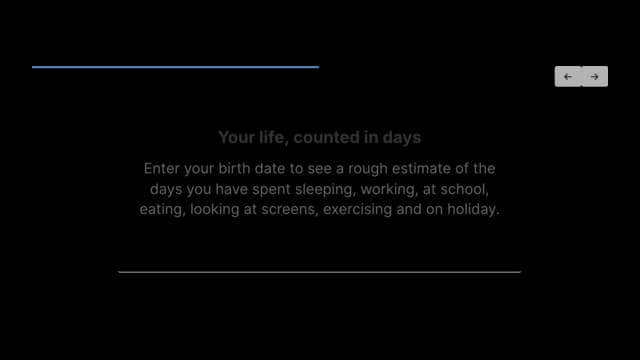
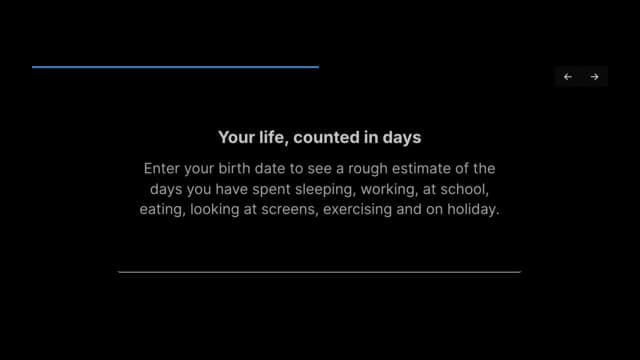
A calculator template is an interactive form that does arithmetic on what visitors tell it. Each row of your spreadsheet becomes one question, shown one at a time or all on one page. Questions can be text, numbers, dropdowns, dates, star ratings, sliders or button choices. When the visitor submits, a formula you write combines their answers into a result, such as a score, a cost, a carbon footprint or a recommendation, and shows it in a sentence you design. It is a tool readers use rather than a chart they read, which makes it a good fit for estimators and self-assessments.

Cuándo usar un Calculadoras

  • You want to give readers a personal number

    A savings estimate, a carbon footprint, a risk score. People engage with a result worked out from their own answers.

  • The answer depends on several inputs

    Multiple questions feed one formula, with weights you control, rather than a single lookup.

  • You want a guided flow

    Showing one question at a time keeps each step simple on a phone and lets visitors move back and forth.

  • You want to collect the answers too

    An optional integration sends each submission and its result to a web address you provide.

Cuándo no usar un Calculadoras

  • You want to visualise a dataset

    This template computes from visitor input. To show rows of data, use a bar, line or other chart.

  • You only need a lead form

    If nothing is computed, a plain form tool is simpler.

  • You need complex logic

    The formula supports arithmetic and a handful of functions, not branching rules or lookups across tables.

  • You need a pixel-perfect static image

    A static export redraws the current state approximately. The live embed is the real thing.

Cómo crear un Calculadoras

De una hoja de cálculo a un gráfico publicado, paso a paso.

  1. 01Open the Calculator template
  2. 02Write your questions
  3. 03Upload or connect your data
  4. 04Write the result formula
  5. 05Style the flow and questions
  6. 06Publish and embed

Las partes de un Calculadoras

Progress bar
Shows how far through the questions the visitor is.
Question and help text
The prompt, with an optional line of guidance beneath it.
Answer control
A text box, number box, dropdown, date picker, rating, slider or set of buttons, depending on the question type.
Back and Next buttons
Move between questions. Back is disabled on the first.
Submit button
Runs the formula and reveals the result.
Result panel
The sentence built from your template, with the computed values filled in.

Errores comunes con un Calculadoras

Misspelling the question type

Anything other than text, number, dropdown, date, rating, slider or buttons quietly falls back to a text box.

Referring to questions in the wrong order

Formulas address answers as q1, q2 and so on, in sheet order. Reordering rows changes what each name means.

Trusting a formula you did not test

A malformed line evaluates to zero rather than showing an error, so run the calculator with known inputs.

Leaving defaults that skew the result

Untouched questions use the default answer. Set defaults that are honest starting points.

Calculadoras: preguntas frecuentes

Building an embeddable form that asks questions and computes a result from the answers, such as an estimate or score.

Crea tu Calculadoras ahora

Gratis para empezar, con más de 600 plantillas. Sin tarjeta de crédito.